Wish360
A 360 photo they have to turn around for
You post it on Facebook and it opens like any photo: a chalkboard sign on a harbour boardwalk, or in a pumpkin patch, or on a coral reef, with their name chalked across it. Then they tilt their phone or drag the picture, the scene keeps turning, and halfway round there's your message, waiting behind them the whole time. It's the one kind of birthday post that rewards being looked at properly, and it works for New Year, Diwali, a wedding anniversary or a retirement just as well as a birthday.
Try it
That's the free New Year's harbour scene, made for "Charlotte" from "Sam". Yours carries their name and your words.
How it works
- Open Wish360 and pick a scene.
- Type their name, which goes on the sign, and who it's from.
- With the library, add their photo too. It goes on the sign as a little print, taped on.
- We start the message for you: a big line, three lines underneath and a sign-off. Change any of it.
- It's made right there on your phone in a few seconds. Nothing is uploaded until you post it yourself.
- You get three things to share: the Facebook 360 photo, a set of swipe slides for Instagram, and a fourteen-second spin video, with the scene's own sound if you want it.
Three ways to post it
Facebook 360 photo
The main one. Post it through the Share button on the results screen and Facebook turns it into a real 360 that opens on the sign. Facebook's own photo picker flattens it into a normal wide photo, so Share is the way in. In Messages and WhatsApp it shows flat too; it only turns once it's on Facebook.
Instagram swipe slides
Instagram can't do 360 photos, so the turn becomes a swipe. The slides join into one long scene, sign first, and swiping through them turns all the way round to your words and back. Post them as one carousel, in order.
Spin video
Fourteen seconds for Reels, Stories, WhatsApp or a text: it starts on the sign, turns round to your words, moves in close, then pulls back out. It comes with the scene's own sound, like fireworks over the harbour, waves on the lagoon or crickets in the pumpkin patch. Untick it and the video stays silent, ready for your own music in Instagram.
The scenes
Every scene is a real-looking photograph, made to go all the way round. The harbour is free; the rest come as one library.
 New Year's HarbourFree
 Halloween Pumpkin Patch
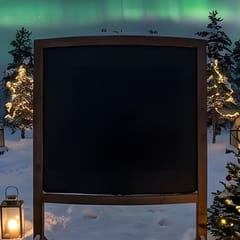 Northern Lights
 Lantern Street
 Festival of Lights
 Garden Wedding
 Lagoon Sunset
 Dinosaur Valley
 Cherry Blossom Garden
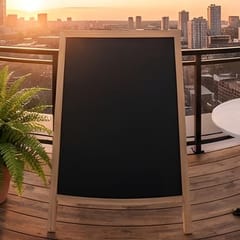 Golden Hour Rooftop
 Above the Clouds
 Under the Sea
 Midnight Platform
 Canyon Stars
 Storybook Land
 Retro Arcade
New scenes join the library as they're made, and anyone who already has it gets them too.
Price and what it covers
- The New Year's harbour scene is free, as many times as you like.
- The whole library is one payment of $1.49 USD. It's not a subscription and nothing renews.
- It unlocks every scene, as many times as you like, including the new ones as they're added.
- It also lets you put their photo on the sign, in any scene, the harbour included.
- It works on two devices, say your phone and your laptop. On the second one, tap Restore and we email a six-digit code to the address you paid with.
- Payment goes through Stripe. There's no WishCopy account to make.
Frequently asked questions
Does the person I'm posting for need anything?
No. They just see your post on Facebook and turn around in it, by moving their phone or dragging the picture. No app, no link to open, no account.
Why does it look flat when I post it?
Facebook only treats it as a 360 when it comes in through the Share button on the results screen. If you pick it from Facebook's own photo picker, or send it over Messages or WhatsApp, it shows as a normal wide photo.
Is Wish360 a subscription?
No. The harbour scene is free, and the full library is a single $1.49 USD payment with nothing recurring.
Can I use it on more than one phone?
Yes, on two devices. On the second, tap Restore and enter the six-digit code we email to the address you paid with.
Can I put their photo in it?
Yes, with the library. Their photo goes on the sign as a little print, taped on at a slight tilt, in any scene, the harbour included. It's cropped square, so pick one with their face near the middle.
Does the video have sound?
Yes, if you want it. Each scene has its own sound mixed in as the video is made on your phone. Untick 'Add the scene's sound' for a silent video, then add your own music in Instagram or TikTok.
Are my names, words and photos uploaded anywhere?
No. Everything is made on your own device, including any photo you add, and nothing leaves it until you share it yourself. The privacy policy has the details.
Is it only for birthdays?
Not at all. There are scenes for New Year, Halloween, Diwali, Lunar New Year, weddings and anniversaries, and the words are yours to change, so it suits a retirement, a new baby or a plain "thinking of you" just as well.
Explore more from WishCopy
Make a Wish360 🎆